Computer Vision Examples: 10 Real-World Use Cases for 2026
Your line runs three shifts, and at 2 a.m. on a Tuesday a scratch the width of a hair gets past station four because the operator is tired and the light on that side of the conveyor has thrown a glare since the fixture was replaced. Nobody finds out until a customer does.
That miss is a solvable problem now. Computer vision handles screening, safety, inspection, and vehicle perception in production today, and the hard part has moved from building a model to keeping one honest across lighting, camera angles, hardware limits, and the thousand small variations of a real environment.
The starting gun for all of it was a benchmark. In 2012, AlexNet, a deep convolutional network built by Alex Krizhevsky, Ilya Sutskever, and Geoffrey Hinton, won the ImageNet Large Scale Visual Recognition Challenge with a top-5 error rate of about 15.3% against 26.2% for the second-place system, a margin of roughly 10.9 percentage points, as Viso.ai's ImageNet history records. That result proved GPU-trained networks could beat hand-engineered visual features, and it made benchmark scores the way the field talks about progress.
Care has moved out of the building too. Clinics already deliver remote pelvic rehab for women over video, and the same logic pushes vision models into primary care, factory floors, and farm equipment.
The ten examples below are a map of deployment problems, not a tour of capabilities. Each one gets the sensing setup, the failure modes that cost money, and one tactic worth copying.
1. Diabetic Retinopathy Screening from Retinal Images
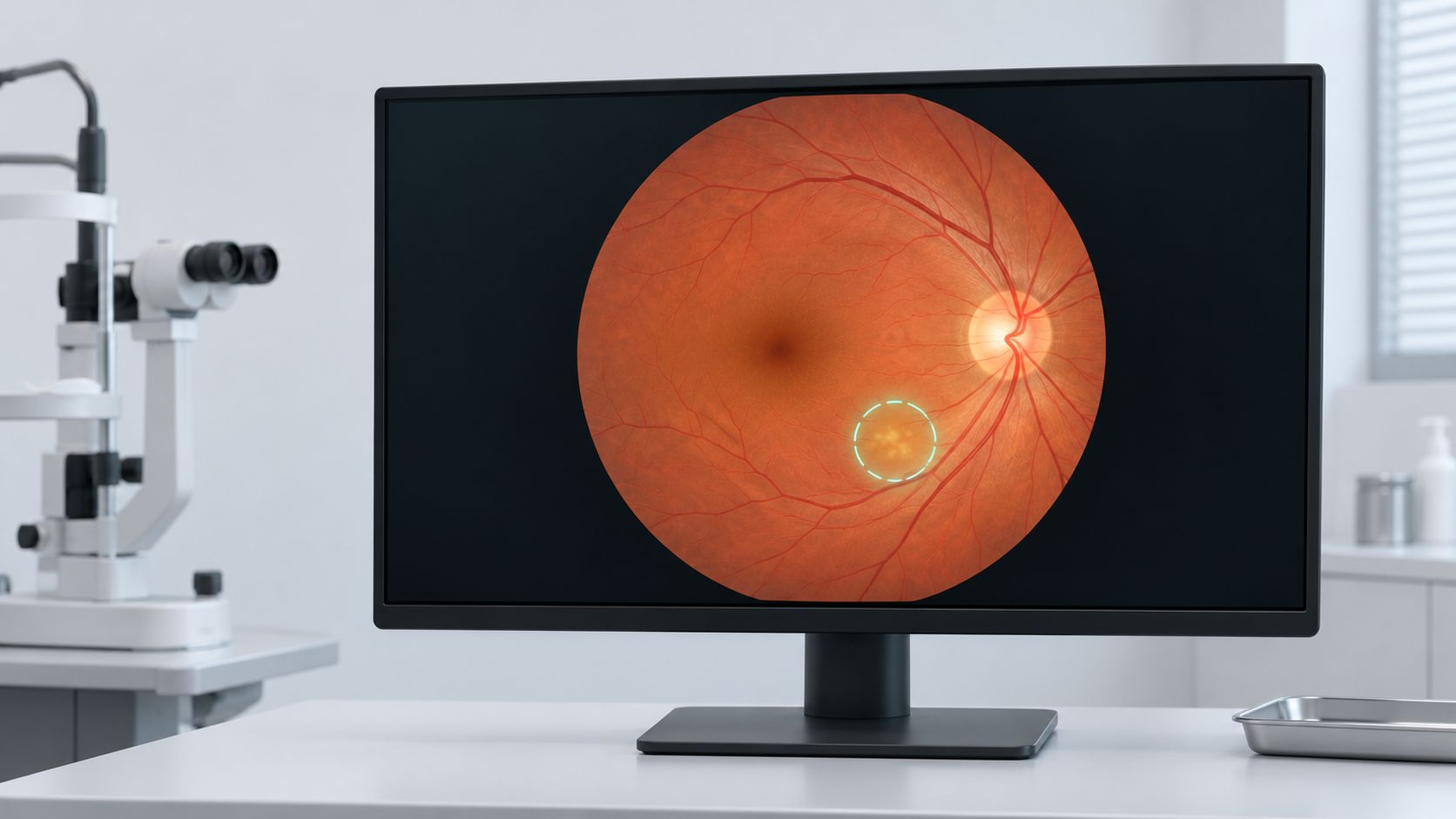
Retinal screening is the clearest case of computer vision doing diagnostic work rather than assistive work. A fundus camera photographs the back of the eye, a model classifies the image for referable diabetic retinopathy, and the output is a referral decision a primary care clinic can act on without an ophthalmologist in the room. IDx-DR, an autonomous AI diagnostic authorized by the U.S. FDA for this task, and Google Health's retinal research published in JAMA both showed the approach working at specialist grade.
The category is no longer experimental. More than 500 AI medical devices using computer vision had received FDA clearance by 2025, according to Pharos Production's review of the FDA device database, and retinal screening is one of the few that can run without a specialist reviewing every image.
Capture is where the pipeline earns or loses its keep.
What breaks in a real clinic
- Ungradable images: a cataract, a small pupil, or a shaky capture produces an image the model can't grade. Route it to a human queue with a reason code, not a low-confidence label nobody reads.
- Camera and room drift: a model validated on one fundus camera in one lighting setup degrades on the second camera. Re-validate on the hardware and room you deploy in, and on the age and ethnic mix of your patient panel.
- Traceability: store model version, image hash, operator ID, and timestamp for every inference. A regulator or a plaintiff will ask for it.
Practical rule: if the model can't show which retinal features drove the referral, the clinician signing off carries the risk alone.
The replicable tactic is treating the quality gate as code. Run a sharpness and exposure check before inference, reject anything that fails, and count the rejects per site. When grayscale rates climb, you have a camera or training problem, and you know before a patient does.
2. Human Pose Estimation for Movement and Rehabilitation
Pose estimation turns a video frame into a skeleton. The model locates keypoints such as shoulders, elbows, hips, knees, and ankles, and those coordinates let you compute joint angles, rep counts, and gait symmetry. The clinical appeal is obvious: a patient does a home program and gets correction without wearing a sensor or driving to a clinic.
OpenPose, from Carnegie Mellon University's Perceptual Computing Lab, made keypoint detection widely available for research and sports analysis. MediaPipe Pose put real-time skeletons inside consumer fitness apps for form feedback and rep counting.
The deep learning methods behind human pose estimation are well documented elsewhere. What decides whether this works in a living room is calibration and honesty about what the numbers mean.

Jitter, occlusion, and the claims you're allowed to make
- Camera placement: a phone on a counter at hip height sees a knee bend differently from a camera at eye level. Ship a setup step that asks the user to stand back, center the body, and show the whole frame.
- Temporal smoothing: raw keypoints flicker frame to frame, and an elbow angle computed from two noisy points swings by 20 degrees. Filter trajectories over a short window before displaying any angle a clinician will read.
- Claim separation: wellness feedback and clinical measurement are different products. Keep range-of-motion claims out of consumer messaging unless you've validated them against goniometry.
A skeleton that tracks a squat beautifully in a bright gym can lose the same body behind a coffee table.
Treat keypoint confidence as a first-class output. If a knee is occluded, show a grayed skeleton and say the angle is unavailable, rather than publishing a number the model guessed.
3. Face Mask Detection in Public and Workplace Settings
Mask detection was the fastest-deployed vision application of the pandemic, and it makes a useful reference case for any compliance monitoring system. The pipeline runs in two stages: a face detector finds heads in the frame, then a classifier labels mask status, often split into correct wear, improper wear with the nose or chin exposed, and no mask at all. Commercial IP camera lines from vendors such as Hikvision and Dahua shipped mask features through 2020 to 2022, and academic benchmarks such as the World Masked Face Dataset and MAFA gave teams something to compare against.
The three failure modes that matter
- Low-quality crowded video: entrances are backlit, faces are 40 pixels wide, and people pass in groups. Test on your own worst frames, not a curated dataset.
- Privacy exposure: process frames on-premises or at the edge so facial imagery doesn't cross a WAN. Define retention in minutes, not "as needed".
- Subgroup error: check error rates across skin tone, eyewear, head coverings, and lighting before anyone sees a compliance dashboard.
Tactic that transfers: publish the retention window on a sign at the door and log only the classification, not the face crop.
Say a plant manager wants mask compliance across six entrances. The wrong build is a cloud dashboard of faces. The right build is an edge box per entrance emitting counts and timestamps, a weekly accuracy audit on 200 randomly sampled frames, and a named owner who adjusts thresholds when the weather changes.
4. Social Distancing Monitoring
Distance measurement is the hard part of distancing analytics, not people detection. A detector finds pedestrians, then the system maps each person's feet to a point on the floor plane and computes pairwise distances in meters. That mapping comes from a homography built during calibration, and an error there scales every distance by a constant factor.
A wrong scale is worse than an obvious failure, because the numbers still look plausible.
A U.S. Department of Transportation ITS evaluation showed the approach running on cameras that were already installed. The system combined distance approximation, an open-source pretrained object detector, and post-processing filters, and testing across several New York City camera feeds produced detection accuracy between 86% and 96%, per the USDOT ITS case study on pedestrian density and distancing. No new camera network, no special sensors.
The smart social distancing tutorial walks through the calibration step in code. The operational lesson is to read that accuracy range as a local result, not a spec.
What to instrument
- Per-site validation: validate separately for each viewpoint, lighting condition, crowd density, and occlusion level.
- Anonymized outputs: emit counts and proximity events instead of video. Most privacy reviews end there.
- Peak-density testing: performance degrades exactly when the metric matters most, so test at the busiest hour, not a Tuesday morning.
A detection rate measured on one camera says nothing about the camera across the street, and vendors quote the first number.
Expose detection confidence per feed and track false positives and missed detections by site. Calibrate proximity thresholds against the local camera geometry, then leave them alone until the geometry changes.
5. Edge AI Vision Processing
Edge AI is an architecture decision, not a product category. Instead of shipping video to a cloud bucket, you run the model on the camera, a gateway, or a module bolted next to the machine, and only events leave the site. The hardware is well understood: NVIDIA Jetson modules inside smart cameras, robotics, and medical devices, Google Coral Edge TPUs for prototypes and small production runs, Intel OpenVINO for pushing models onto Intel CPUs, GPUs, and VPUs.
The trade-off is the part most write-ups skip. Edge cuts latency, bandwidth, and data exposure, but it hands you a fleet of devices to update, monitor, power, and diagnose remotely. A practical explanation of modern vision systems puts the operational issues in the right order: lighting variation, occlusion, camera angle, distribution shift, latency, bandwidth, and failure escalation decide whether the system survives its first year.
Designing for a device you can't walk up to
- Benchmark on target hardware early: a model that hits 30 fps on your workstation may run at 4 fps on the Jetson you can afford. Measure latency and memory on the device before you commit to a frame rate.
- Containerize and register: ship models as containers, keep a central device registry, and stage rollouts. You need to know which build is on which box.
- Design for offline: queue events locally, sync when the link returns, and expose health metrics. Offline behavior is a product requirement, not an edge case.
Anyone weighing ABCO Security's video analytics solutions against a cloud-first platform is really choosing where inference happens and who owns the uptime.
Our edge deep learning series covers model optimization in more depth. The short version: quantization and pruning buy you headroom, but only if you re-validate accuracy after compression.
6. Automated Visual Inspection in Manufacturing
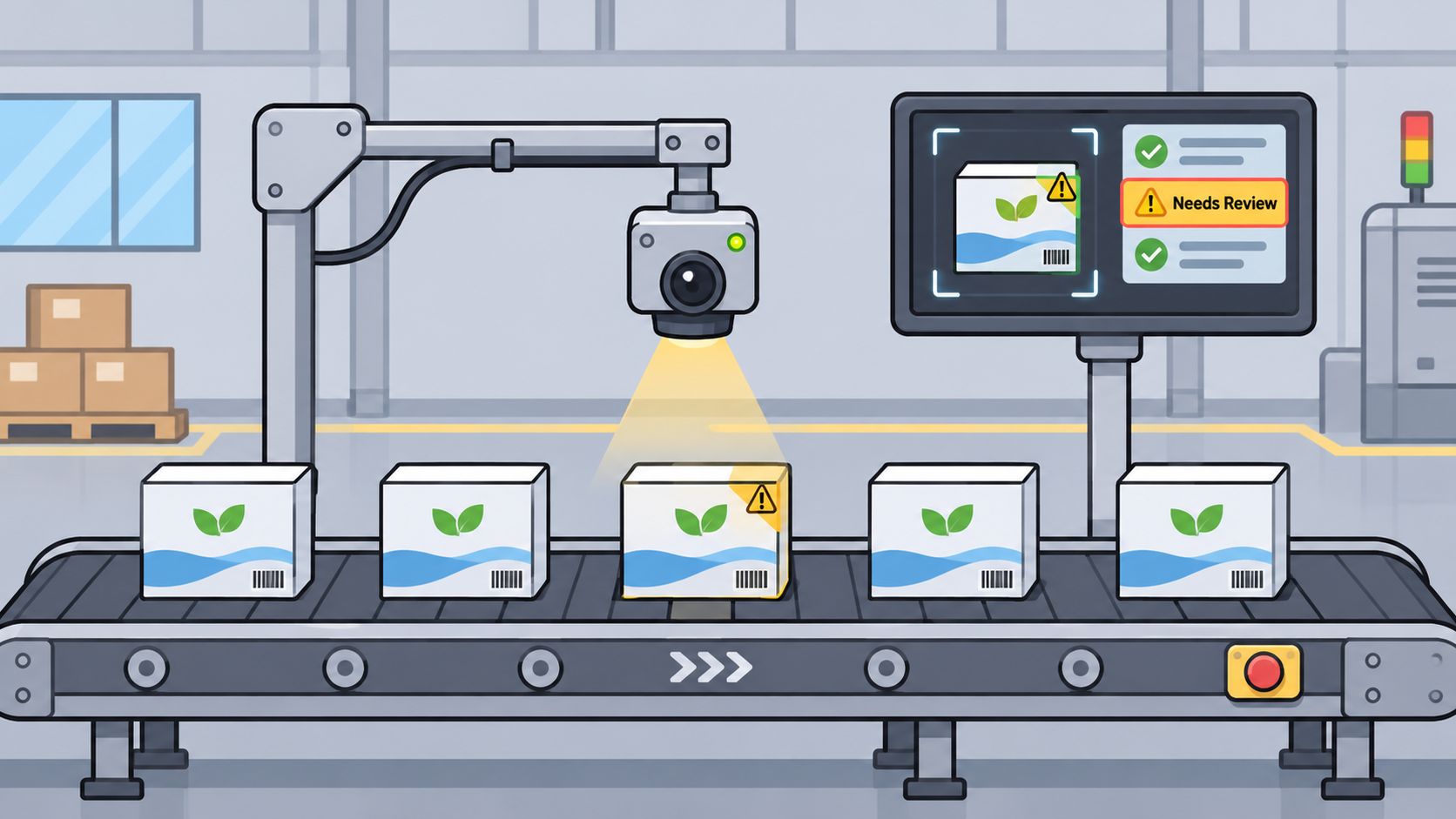
Inspection is the oldest vision application on this list and the one with the clearest payback. In 2026, nearly 75% of manufacturers were using AI-powered visual inspection, according to Datature's Enterprise Vision AI Adoption Report. Rule-based machine vision has checked dimensions and presence for decades. Deep learning earns its place on defects you can't specify with rules: a scratch of variable depth, a seal sitting slightly crooked, a label rotated two degrees.
A production case on a moving automotive line replaced manual inspection with an edge-based neural pipeline on commodity GPUs. The reported results were 99.4% recall for defects, a threefold throughput increase, and a 41% reduction in scrap, per ITResearches' case studies.
Recall is the right headline when a missed defect costs more than a false reject, and 99.4% still leaves roughly 6 defective parts per 1,000 undetected under those evaluation conditions.
What recall hides
- Precision and false rejects: a model that flags every reflective surface will hit recall targets and destroy throughput. Track false rejects per shift and per operator.
- Drift by variant: a new supplier, a new coating, or a new part number shifts the pixel distribution. Set retraining triggers tied to process changes, not the calendar.
- Shadow mode: run inference alongside existing QA for full shifts and compare decisions before automating a reject.
Ramp before you reject: let the model disagree with human inspectors on a holdout audit set until the disagreements are understood, not just counted.
Standardize lighting and camera mounting before you collect a single training image. Cognex VisionPro and Landing AI's LandingLens both help, but neither fixes a fixture that casts a shadow across half the field of view.
7. Checkout-Free Retail with Computer Vision
Checkout-free stores fuse two hard problems: who is this shopper, and what did they take. Cameras and shelf sensors track people through the store, a recognizer identifies items as they're picked up, and the system attributes each take to a basket that gets charged on exit. Amazon Go's Just Walk Out technology made the experience visible to consumers, and Standard AI deployed comparable systems in convenience and grocery formats.
Where the basket goes wrong
The errors cluster in three places. Handoffs happen when two shoppers reach for the same shelf and the tracker swaps identities. Similar SKUs cause misses when eight flavors share one bottle shape and the label faces away from the camera. Exceptions break the model entirely: a customer puts an item back, swaps a lid, or carries a product across the store and abandons it in an unrelated aisle.
Say a convenience format carries 3,000 SKUs and the pilot runs in two aisles. Start there. Keep the product set small and visually distinct, instrument every basket with a confidence score, and give staff a one-tap correction screen that also logs the correction as training data.
The stores that scale checkout-free systems are the ones that treat the exception queue as the product, not as an afterthought.
Post clear notice and an opt-in path where the law requires it, and run inference on store-level edge hardware so a 40-camera site doesn't depend on a WAN link.
8. Crop Health and Precision Agriculture
In a field, the camera is moving, the light changes every few minutes, and the thing you're classifying is often 30 centimeters tall and half-hidden under leaves. That's why agriculture rewards edge inference more than almost any other category: the decision to spray or skip has to happen at tractor speed, and the field frequently has no usable connection.
Most rigs hang a camera off a boom or fly a drone over the rows.
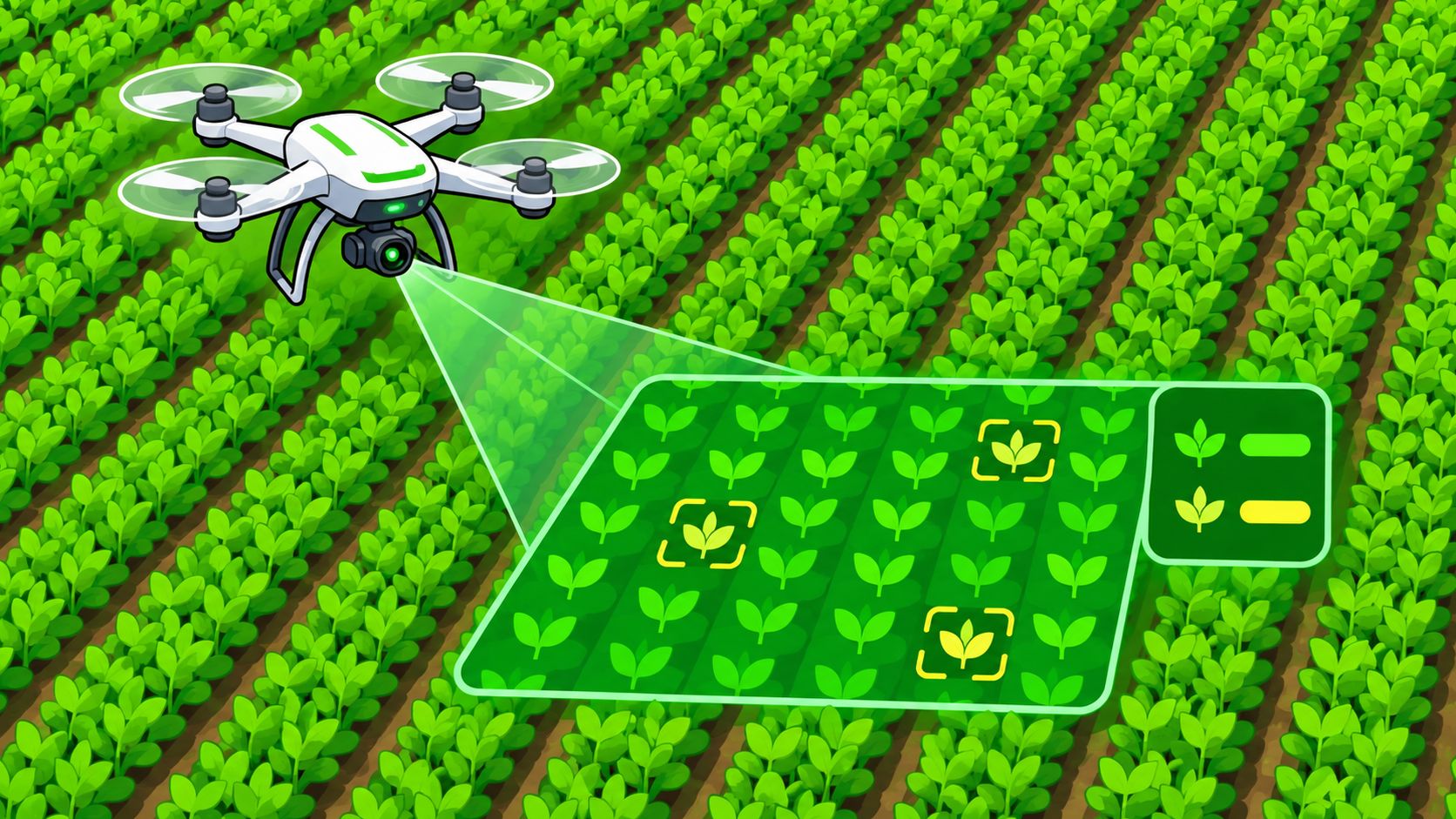
Blue River Technology's See and Spray system, acquired by John Deere, applies herbicide only to the weeds a camera identifies. The PlantVillage dataset from researchers at Penn State trained disease classifiers across many crops and remains a common starting point for teams building their first model.
Seasonality is a dataset problem
- Collect across growth stages and light: a classifier trained on mature plants in July fails on seedlings in May and on the same plants under overcast skies.
- Run inference at the edge: a spray decision that arrives after the tractor has passed is worthless, and connectivity in a field is a coin flip.
- Validate against an agronomist: measure agreement between model detections and expert field scouting before you automate a treatment decision.
The tactic that pays off is a labeled season calendar. Map every capture session to growth stage, weather, and camera rig, then hold out an entire stage for evaluation. If accuracy collapses on the stage you held out, you've found the problem before a customer's field does.
9. Perception for Autonomous and Driver-Assist Systems
Vehicle perception is the most demanding case on this list and the least forgiving of a 96% number. Cameras feed models that detect lanes, traffic signs, pedestrians, vehicles, and obstacles, and those detections feed planning and control that steer and brake. A miss here isn't a lost sale.
Mobileye EyeQ chips sit inside driver-assist systems across many automakers. Tesla's Autopilot and Full Self-Driving stack leans primarily on cameras. Waymo's robotaxi stack fuses cameras, lidar, and radar.
Define the domain before you define the model
- Operational design domain: write down the roads, weather, time of day, and geography the system is built for, then test explicitly against each boundary. A system validated in Phoenix daylight has no claim on a Minnesota February.
- Rare-event mining: build pipelines that flag low-confidence frames, disagreements with redundant sensors, and disengagements, then route them to labeling. The long tail is the product.
- Safety metrics as requirements: track false negatives on pedestrians and cyclists separately from general detection accuracy, and treat failure analysis as a release gate rather than a retrospective.
Sensor fusion buys redundancy, but it doesn't buy agreement. Log when camera and radar disagree, because that disagreement is the most valuable training data you'll ever collect.
The tactic worth copying from this domain is scenario mining as a standing job. Automate the search for the frames that almost went wrong, and review them weekly with someone who owns the safety case.
10. Facial Recognition for Device and Biometric Authentication
You use a phone with your face several times a day, which makes biometric verification the most familiar vision system many people use. Consumer implementations pair a camera with depth sensing and infrared so a photograph or a printed mask doesn't pass. Apple's Face ID, built on the TrueDepth camera system, set that expectation, and enterprise access control now puts face verification at building entrances, turnstiles, and kiosks.
Convenience comes with a distribution problem you have to measure. The 2019 NIST Face Recognition Vendor Test analyzed one-to-one verification and one-to-many identification and found false-positive rates across demographic groups often differed by factors of 10 to more than 100, depending on algorithm and dataset, per the NIST FRVT demographic effects report. False positives were generally higher for Asian and African American faces than for Caucasian faces in the tested systems, and typically 2 to 5 times higher for women than for men, with the gap varying by algorithm, country of origin, and age.
What to build in before launch
- Template storage: keep templates on-device or in a secure enclave and avoid centralizing raw biometric images. A breach of a face database is not recoverable.
- Fallback and consent: offer a PIN, a badge, or a manual check, and make consent explicit for staff who walk through the camera every morning.
- Threshold choice: false accept and false reject rates trade against each other. Pick the operating point from your risk tolerance, then re-measure by demographic group and lighting condition.
Vendors publishing biometric access control comparisons tend to quote one accuracy figure. Ask instead for error rates by demographic group, by camera model, and by indoor versus outdoor lighting, and get them on your own enrollment data.
How the 10 computer vision examples compare by task, hardware, and deployment risk
| Item | Primary Task | Typical Hardware | Main Deployment Risk |
|---|---|---|---|
| Diabetic Retinopathy Screening from Retinal Images | Detect diabetic retinopathy and flag patients for referral | Retinal fundus camera and clinic computer | Poor image quality or underperformance on unrepresented populations |
| Human Pose Estimation for Movement and Rehabilitation | Track body keypoints to assess movement and exercise form | RGB camera, smartphone, or consumer device | Occlusion, poor lighting, or camera placement can reduce accuracy |
| Face Mask Detection in Public and Workplace Settings | Identify whether people are wearing masks correctly | IP cameras and edge or server hardware | Privacy concerns and unequal error rates across groups |
| Social Distancing Monitoring | Estimate distances between people and flag close contact | Calibrated security cameras and processing device | Calibration errors, occlusion, and crowded scenes |
| Edge AI Vision Processing | Run computer vision models locally on devices | Embedded cameras, gateways, GPUs, NPUs, or TPUs | Hardware limits and difficult fleet maintenance |
| Automated Visual Inspection in Manufacturing | Detect product defects on production lines | Industrial cameras, controlled lighting, and line controllers | Lighting or process changes can degrade inspection performance |
| Checkout-Free Retail with Computer Vision | Track shoppers and items to create purchase baskets | Multi-camera systems and shelf or weight sensors | High infrastructure cost, privacy concerns, and tracking errors |
| Crop Health and Precision Agriculture | Detect crop stress, disease, weeds, and pests | Drones, tractor-mounted cameras, and field devices | Changing field conditions and limited connectivity |
| Perception for Autonomous and Driver-Assist Systems | Detect road users, lanes, signs, and obstacles | Vehicle cameras, often combined with radar and lidar | Rare scenarios and adverse weather can compromise safety |
| Facial Recognition for Device and Biometric Authentication | Verify identity using a live face scan and enrolled template | Depth or infrared camera and secure on-device hardware | Biometric privacy, demographic accuracy differences, and regulation |
Turning These Computer Vision Examples into a Deployment Plan
A retail shelf camera sees a different problem than a fundus camera, and a factory line sees a different problem than a road. The deployment plan has to start there. Treat the sensing setup as part of the system, then design around the failure modes that matter in production. Calibration, lighting, camera placement, hardware limits, and drift decide whether a model survives outside validation.
Start with one narrow use case, one camera setup, and one metric a manager can act on. Defect recall, ungradable-image rate, proximity events per hour, and basket corrections per hundred transactions are more useful than generic accuracy. They tell the team what to fix next. A second camera should wait until the first has survived real conditions for a month.
Keep sensitive data close to where it is captured. Edge inference on faces, patients, and shoppers can reduce exposure and latency at the same time. The trade-off is fleet management. Device registries, remote updates, target hardware benchmarks, and clear ownership of thresholds belong in the first plan, not after a pilot stalls.
Benchmark on the hardware that will run the workload. Latency and memory on a Jetson or Coral board decide frame rate, and frame rate decides what can be detected at line speed. The same rule applies to cloud pipelines, where data movement and service limits can shape the design as much as the model.
After launch, monitor for drift. New suppliers, new seasons, new store layouts, and camera firmware changes all move the input distribution. Shadow-mode evaluation and retraining triggers keep small changes from becoming silent failures.
The money at stake is real. The global computer vision market was valued at $20.75 billion in 2025, per XtendedView's computer vision statistics. Deployment problems are a common cause of failure, so the plan should cover calibration, hardware, monitoring, and operating ownership from the start.
Galliot, a software development and AI consultancy, builds custom vision models around client data, adapts object detection to specific datasets and environments, and tunes models to run where the work happens, including on edge devices. Its services include computer vision, deep learning, edge ML optimization, and MLOps, so teams can carry a narrow pilot into a managed production setup. Visit Galliot to scope the smallest version of the use case that can be measured in production.
Get Started
Have a question? Send us a message and we will respond as soon as possible.
Leave us a comment